-
Shop
- Advanced Technologies
- AI Skills
- AI Skills Mastery 2026 Collection
- Bathroom
- Best-Sellers
- Car Accessories
- Confidence
- Dating & Social Skills
- Digital Resources
- AI & Technology
- Beauty
- Budgeting & Saving
- Car Buying & Ownership
- Electronics & Technology
- Entrepreneurship & Business Growth
- Financial Independence
- Financial Mindset & Psychology
- Goal Setting
- Home Styling & Organization
- Kitchen & Recipes
- Leadership
- Mindset
- Online Business
- Parenting & Child Development
- Personal Style & Fashion
- Pet Lifestyle & Wellness
- Positive Thinking
- Sleep Improvement
- Smart Life with AI
- Stress Management & Relaxation
- Wellness
- Yoga & Mind-Body Practices
- Education & Learning
- Family & Parenting
- Fashion
- Financial Education
- Furniture
- Gadgets
- Health & Beauty
- Health & Wellness
- Home & Garden
- Home Electronics
- Kids & Babies
- Kitchen
- Kitchen Best-Sellers
- Lighting
- Luxury Brands Collection
- Patio, Lawn & Garden
- Personal Growth
- Pet Care
- Pet Supplies
- Pets
- Sport & Outdoors
- Stress Relief & Relaxation
- Travel
- Travel & Adventure
- Wealth
- Popular
- Best deals
Executive Swivel Chair with Footrest: Ergonomic Luxury
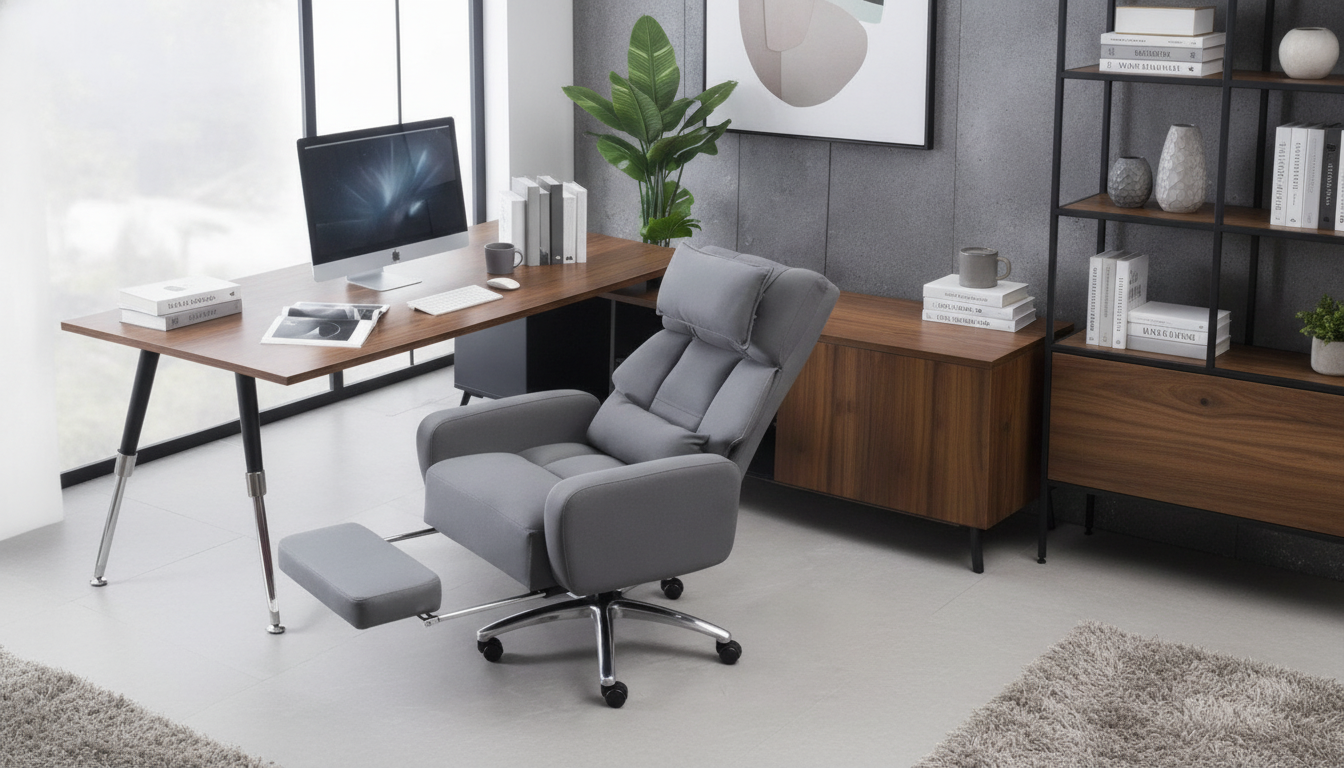
Luxury Swivel Executive Chair with Footrest and Ergonomic Design: Comfort-Led Seating for Long Workdays
A high-end executive chair should do more than look impressive—it should support posture through long sessions, move smoothly across tasks, and make breaks truly restorative. The right blend of ergonomic engineering and premium build quality can reduce end-of-day fatigue, keep your workspace polished, and make long workdays feel more manageable.
Below is a practical guide to what matters most in a luxury swivel executive chair with a footrest and ergonomic features, from adjustability and materials to workspace fit and easy maintenance.
What Makes an Executive Chair Feel Truly Luxurious
- Ergonomic structure (not just softness): True comfort comes from support that encourages a neutral spine, rather than relying on thick cushioning that may feel plush at first but offers limited long-term posture control.
- Premium upholstery and padding: Higher-quality surfaces tend to wear more evenly, clean more easily, and resist that “hot seat” feeling during extended use. Look for padding that stays resilient instead of flattening out after a few months.
- Stable base with smooth swivel: Luxury also feels like control—steady rolling, predictable turning, and a planted base that doesn’t wobble when you shift, recline, or reach for a side table.
- Refined finishing: Details such as clean stitching lines, well-fitted trim, and solid hardware help a chair look at home in an executive office, studio, or elevated home workspace.
Ergonomic Design Features That Matter for Daily Use
Ergonomics isn’t about sitting rigidly—it’s about setting up your chair so your body can stay supported while you naturally change positions throughout the day. For foundational workstation guidance, OSHA’s Computer Workstations eTool is a helpful reference.
- Seat height range: Adjust so feet rest flat on the floor while upright, with knees near a 90° angle. When reclining, the footrest should support the legs without forcing you to point your toes.
- Lumbar support that matches your curve: The lower back should feel “filled in,” not pushed forward aggressively. Adjustable lumbar support is especially valuable when multiple people use the chair.
- Recline with a secure lock: A stable recline lock lets you alternate between upright focus and relaxed recovery without feeling like the backrest will drop suddenly.
- Armrests that reduce shoulder tension: Set armrests so elbows are supported near desk height, keeping shoulders relaxed rather than lifted.
- Contoured seat for circulation: A waterfall-style front edge and balanced cushioning help reduce thigh pressure and keep blood flow more consistent.
For broader context on preventing discomfort over time, NIOSH’s overview of ergonomics and musculoskeletal disorders underscores why adjustability and posture variation matter.
Footrest: When It Helps and How to Use It Well
A built-in footrest can be a major quality-of-life upgrade—when used in the right posture. Think of it as a reset tool rather than something you’ll use while typing intensely at full desk height.
- Best for recline and short breaks: Pairing a footrest with a slight recline can reduce lower-back loading and give hip flexors a break after long periods of seated work.
- Look for proper reach and support: The footrest should extend far enough to support calves or heels comfortably without forcing feet downward.
- Great for mixed-task days: It’s especially helpful for people who rotate between typing, reading, video calls, and review work where posture naturally varies.
- Use it with a gentle recline: A small recline angle typically feels more natural than trying to use the footrest while fully upright at desk height.
Materials, Upholstery, and Build Quality Checkpoints
At-a-Glance Comfort and Fit Checklist
| Feature | Why it matters | What to look for | Quick test |
|---|---|---|---|
| Lumbar support | Reduces lower-back fatigue | Pronounced curve or adjustable pad | Back feels supported without arching |
| Recline + lock | Encourages movement and recovery | Multiple angles and stable lock | Recline doesn’t “drop” suddenly |
| Seat depth/shape | Prevents thigh pressure | Contoured front edge | 2–3 fingers of space behind knees |
| Armrest position | Limits shoulder/neck tension | Height/width that match desk | Elbows rest without raising shoulders |
| Footrest reach | Improves relaxation posture | Supports legs comfortably when reclined | Calves/heels supported without strain |
Workspace Fit: Sizing, Desk Compatibility, and Placement
Care and Maintenance for a Like-New Finish
Featured Options
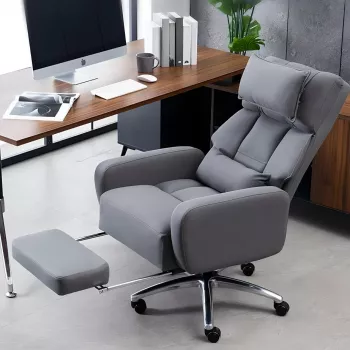
If the goal is a polished centerpiece that supports long sessions and provides a genuine reset posture, consider the Luxury Swivel Executive Chair with Footrest and Ergonomic Design. It’s designed to blend executive style with ergonomic priorities, including a reclining footrest that makes breaks feel more restorative.
For a cohesive room setup—especially in a studio, dressing area, or multi-use workspace—the Modern White Vanity Makeup Table Set with Lighted Mirror and Storage can complement a refined interior while adding practical organization and a dedicated, well-lit surface.
FAQ
Is a footrest useful for desk work or mainly for reclining?
A footrest is most useful during a slight recline or short reset breaks, where it can reduce lower-back load and help legs relax. For upright typing, feet flat on the floor (or a separate footrest set to desk height) is usually the most stable setup.
How should an executive chair be adjusted for long hours?
Set seat height so knees are around 90° with feet supported, then position lumbar support so it meets the natural curve of your lower back. Keep a slight recline available for posture changes, adjust armrests so shoulders stay relaxed, and align monitors in front to reduce neck turning.
What should be checked before buying a large executive chair?
Measure doorways, desk clearance (especially armrest height), and the swivel radius to avoid tight fits. Confirm caster type for your flooring, check weight capacity, and review warranty/return terms in case the chair doesn’t match your space or comfort needs.











Leave a comment