-
Shop
- Advanced Technologies
- AI Skills
- AI Skills Mastery 2026 Collection
- Bathroom
- Best-Sellers
- Car Accessories
- Confidence
- Dating & Social Skills
- Digital Resources
- AI & Technology
- Beauty
- Budgeting & Saving
- Car Buying & Ownership
- Electronics & Technology
- Entrepreneurship & Business Growth
- Financial Independence
- Financial Mindset & Psychology
- Goal Setting
- Home Styling & Organization
- Kitchen & Recipes
- Leadership
- Mindset
- Online Business
- Parenting & Child Development
- Personal Style & Fashion
- Pet Lifestyle & Wellness
- Positive Thinking
- Sleep Improvement
- Smart Life with AI
- Stress Management & Relaxation
- Wellness
- Yoga & Mind-Body Practices
- Education & Learning
- Family & Parenting
- Fashion
- Financial Education
- Furniture
- Gadgets
- Health & Beauty
- Health & Wellness
- Home & Garden
- Home Electronics
- Kids & Babies
- Kitchen
- Kitchen Best-Sellers
- Lighting
- Luxury Brands Collection
- Patio, Lawn & Garden
- Personal Growth
- Pet Care
- Pet Supplies
- Pets
- Sport & Outdoors
- Stress Relief & Relaxation
- Travel
- Travel & Adventure
- Wealth
- Popular
- Best deals
Rapid-Trigger Hall Effect RGB Keyboard: Speed & Control
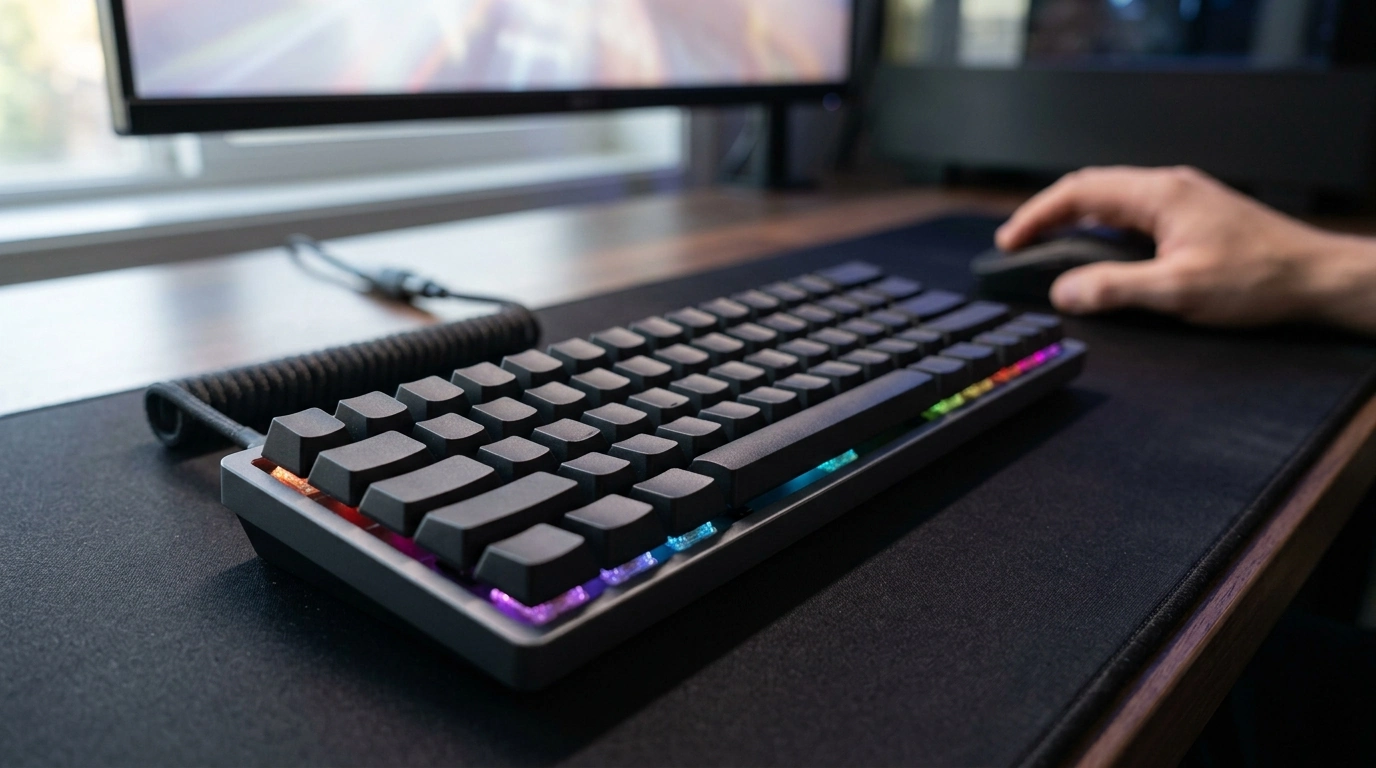
Rapid Trigger RGB Mechanical Gaming Keyboard with Hall Effect Switches
This rapid-trigger Hall effect keyboard is designed for fast key reset, adjustable actuation, and a consistent feel over time. By combining analog-style magnetic sensing with RGB lighting, it’s built for competitive play where rapid movement inputs, clean counter-strafes, and dependable key response can make your setup feel sharper and more controllable.
What Makes a Rapid-Trigger Hall Effect Keyboard Different
Traditional mechanical switches typically register a press at a fixed point when metal contacts close. A Hall effect design uses magnetic sensing to detect key travel, which changes how the keyboard can be tuned and how reliably it can repeat inputs over long sessions.
- Uses magnetic sensing (Hall effect) to detect key travel, rather than relying solely on a physical contact point.
- Enables adjustable actuation so key response can be tuned to lighter or deeper presses depending on game or typing preference.
- Rapid trigger behavior can reset inputs as soon as the key starts returning, helping with quick re-presses and directional changes.
- Designed to reduce inconsistency caused by contact wear and signal bounce found in some traditional switch designs.
If you want a deeper technical definition of the sensing method, see the background on the Hall effect sensor.
Rapid Trigger in Real Gameplay
Rapid trigger matters most when you’re repeatedly changing direction or tapping keys in short bursts. Instead of waiting for a switch to return to a fixed reset point, rapid trigger can release and re-register inputs as the key travels back upward—often translating to tighter control during fast sequences.
- Movement control: faster stop-start inputs can help with counter-strafing and micro-adjustments in competitive shooters.
- Repeated taps: quicker reset can improve rhythm-like inputs and rapid ability usage without fully releasing to the original reset point.
- Consistency under pressure: predictable actuation can feel more uniform across keys when settings are dialed in.
- Practical note: the best settings often differ between games; extremely shallow actuation can increase accidental presses until muscle memory adapts.
Hall Effect Switch Basics (Without the Jargon)
Hall effect switches read key travel continuously. A small magnet and sensor measure position, and the keyboard firmware decides when a press “counts.” That’s why actuation can be adjustable, and why the feel can stay consistent even after heavy use.
- A magnet and sensor measure travel continuously, allowing the keyboard to interpret how far a key is pressed.
- Because actuation is configurable, a single keyboard can be tuned for fast gaming and then adjusted to feel more deliberate for typing.
- Magnetic sensing can help maintain stable performance over time since it does not depend on metal contact points to register a press.
- If the keyboard supports per-key tuning, sensitive keys (like movement) can be set lighter while others (like abilities) can be set slightly deeper to reduce misfires.
Since this is still a standard keyboard to your computer, it typically operates through normal USB input rules; a quick reference is the USB HID (Human Interface Device) overview.
RGB Lighting and Daily Usability
RGB is often treated as purely aesthetic, but it can be surprisingly practical when paired with profiles. A good implementation makes it easy to visually separate control clusters and quickly confirm which configuration is active.
- RGB can be used for aesthetics, but also for functional layers like highlighting keybind groups or profiles.
- Look for practical controls such as easy brightness adjustment, effect switching, and profile recall.
- For shared spaces, a low-glare static mode can be more comfortable than animated effects.
- Cable routing and desk footprint matter: stable placement reduces unintended movement during intense play.
Recommended Starting Settings for Competitive Play
When a keyboard offers adjustable actuation and rapid trigger, the best approach is controlled tuning. Start stable, then carefully push toward speed only when accuracy stays intact.
- Begin with a moderate actuation point to avoid accidental presses, then gradually decrease sensitivity as comfort improves.
- Keep movement keys slightly more responsive than less frequently used keys to prioritize control.
- If rapid trigger sensitivity is adjustable, set it conservatively at first and increase only if it improves consistency rather than forcing speed.
- Test changes in a practice range or aim trainer before ranked play to ensure the settings help more than they distract.
Quick Tuning Checklist
| Goal | Suggested Direction | Why It Helps |
|---|---|---|
| Fewer accidental presses | Increase actuation depth slightly | Adds a small buffer before a press registers |
| Faster directional changes | Enable rapid trigger and reduce reset distance | Inputs release/register sooner during quick taps |
| More consistent ability keys | Set non-movement keys a bit deeper | Reduces misfires when resting fingers |
| Comfort for mixed use | Create separate profiles for gaming and typing | Avoids one extreme setting for everything |
Build, Comfort, and Sound Considerations
Who This Keyboard Fits Best
Key Details to Confirm Before Buying
In-Stock Picks
- Rapid Trigger RGB Mechanical Gaming Keyboard with Hall Effect Switches ($115.47)
- Modern White Vanity Makeup Table Set with Lighted Mirror and Storage ($311.97)
FAQ
Do Hall effect keyboards wear out like traditional mechanical switches?
Hall effect sensing doesn’t rely on metal contacts to register a press, which can reduce contact-related wear and signal issues over time. However, other parts like springs, stabilizers, and keycaps can still wear, and dust or debris can affect the feel if maintenance is ignored.
Is rapid trigger only useful for competitive shooters?
No—rapid trigger can help in any scenario with fast repeated inputs, including rhythm games, action titles, and movement-heavy gameplay. If it feels too sensitive for casual use, it can often be toned down by using a separate profile with deeper actuation.
How should actuation be set to avoid accidental presses?
Start at a moderate actuation depth and decrease gradually as your fingers adapt, rather than jumping straight to the shallowest setting. If supported, keep movement keys slightly more responsive while setting less-used keys a bit deeper to reduce misfires.














Leave a comment